
WordPress Display Issues On Mobile
When WordPress doesn’t display correctly on mobile, you may experience issues with the layout and design of your website. To fix this problem, make sure to use a responsive WordPress theme and consider using mobile-friendly plugins.
Additionally, avoid full-screen pop-ups and simplify on-site graphics to improve mobile display. Taking these steps will help ensure that your WordPress site is optimized for mobile viewing.
Exploration of WordPress themes for authors will delve into the diverse array of options available, highlighting the key features that empower authors to curate a compelling online presence.
What Causes WordPress Display Issues On Mobile
WordPress display issues on mobile can be caused by several factors. One common issue is incompatibility with mobile devices. Some themes and plugins may not be designed to be responsive, meaning they do not adjust properly to different screen sizes. Non-responsive themes can cause elements to appear distorted or unreadable on mobile devices. Additionally, conflicts between different plugins can also lead to display issues.
When multiple plugins are installed on a WordPress site, they may not work well together and can cause layout problems on mobile. It is important to choose mobile-friendly themes and plugins and regularly test your website’s display on different mobile devices to ensure it is responsive and user-friendly.
How To Identify Display Issues On Mobile
Your phone’s display is key, so any problems can be frustrating. Here’s a quick way to check for issues:
- Cracks & Scratches: Look closely for any visible cracks, chips, or deep scratches. Run your finger gently across the screen to feel for anything unusual.
- Unresponsive Touch: Open apps and try tapping around. Are there areas that don’t respond, or is there a delay? This could indicate touchscreen damage.
- Display Defects: Look for abnormal flickering, colored lines, or splotchy areas that distort the image. These might be signs of hardware problems.
- Color Shifts: Does the screen appear discolored or have uneven brightness? This could be a sign of a failing display.
If you notice any of these issues, it’s a good idea to consult a repair technician or your phone’s manufacturer for further assistance.
Resolving WordPress Display Issues On Mobile
When it comes to resolving WordPress display issues on mobile, there are several steps you can take to ensure that your website is mobile-friendly.
- Starting with updating to a responsive theme, will ensure that your site can adapt to different screen sizes and provide an optimal viewing experience for mobile users.
- Next, it’s important to choose mobile-friendly plugins that are designed to work well on mobile devices. This will help maintain the functionality of your site and prevent any compatibility issues.
- In addition, you’ll want to optimize on-site graphics and content to ensure fast loading times and a smooth user experience on mobile. This can include compressing images, minifying code, and reducing the use of heavy media files.
- To improve mobile usability, it’s essential to avoid full-screen pop-ups that can be intrusive and difficult to dismiss on smaller screens. Instead, consider using alternative methods such as slide-in or scroll-triggered pop-ups.
- Finally, implementing responsive media elements such as images, videos, and embedded content will ensure that they adapt correctly to different screen sizes and orientations.
Additional Tips For Mobile Optimization
When it comes to mobile optimization for WordPress, one of the most important factors to consider is responsive web design. Ensuring that your website is mobile-friendly and adapts to different screen sizes is crucial for a seamless user experience.
One aspect to focus on is creating a mobile-friendly menu. This involves designing a menu that is easy to navigate on smaller screens and doesn’t take up too much space.
Another consideration is plugin compatibility. Some plugins may not be optimized for mobile devices and can cause display issues. It’s important to test your plugins and ensure they work well on mobile.
Additionally, you should think about mobile-friendly opt-ins. Pop-ups and forms can be distracting on mobile devices, so it’s important to design opt-ins that are user-friendly and don’t hinder the browsing experience.
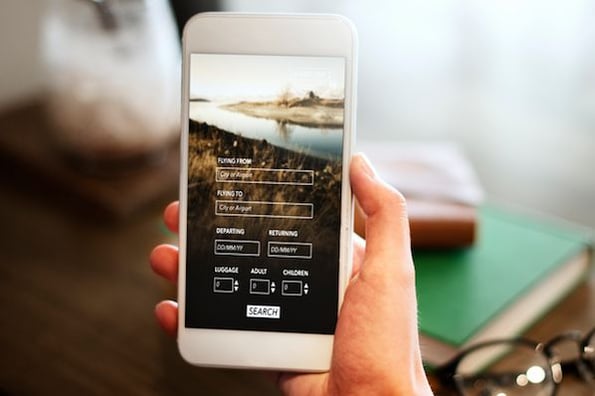
Credit: blog.hubspot.com
Conclusion
To ensure a seamless user experience on mobile devices, WordPress websites must display correctly. Unfortunately, many websites face challenges in this aspect, leading to frustrated users and decreased traffic. By implementing responsive WordPress themes, using mobile-friendly plugins, and simplifying on-site graphics, these issues can be resolved.
Additionally, conducting regular tests and making use of the Google Mobile-Friendly Test can identify and rectify any remaining display issues. Prioritizing mobile optimization is essential for a successful and user-friendly WordPress website.