
How to Remove Squarespace from URL
To remove Squarespace from the URL, upgrade to a paid Squarespace plan, and register a custom domain. Connecting a personal domain removes the ‘. squarespace.com’s subdomain from your website’s URL.
Crafting a unique online identity is crucial for standing out in the digital realm, and removing the default ‘Squarespace. com’ from your website’s URL is a step towards that.
A URL that prominently features your brand instead of Squarespace’s is key to building a professional image and enhancing your site’s credibility.
It’s a simple yet significant change that can lead to better brand recognition and improved search engine rankings. Tailoring your website’s address to match your business name not only streamlines your web presence but also assures visitors they’re on the right page.
Transitioning to a clean and custom URL is a strategic move for any Squarespace user looking to advance their online presence.
Before reading this blog post You also read our blog post about Showit vs Squarespace. Both are website-building platforms, but Showit offers more creative control while Squarespace focuses on simplicity and clean design.
Introduction To Custom Domains On Squarespace
A custom domain elevates your brand’s online presence. Using a Squarespace-provided domain often includes the platform’s name, which can detract from brand clarity and professionalism.
Personalized domains are critical as they improve memorability and lend an air of credibility to your website. With a unique domain, you can ensure that your site stands out and reflects your brand’s identity accurately.
Squarespace automatically adds its branding to your URL on its free plan. This acts as an advertisement for their services. But it can hinder your marketing efforts.
You gain full control over your online branding with a custom domain. Search engines and customers favor a custom domain. It signifies trust and authority.
Identifying Your Squarespace Url Issue
Squarespace branding in URLs often puzzles website owners. The presence of Squarespace in your website’s URL can stem from several factors.
A common reason is using a free Squarespace subdomain instead of a custom domain. Another possibility is failing to properly connect your domain to the Squarespace site if you have one.
To fix this, start by reviewing your domain settings. Access the settings by logging into your Squarespace account. Navigate to the ‘Domains’ section.
Here, check if you have a custom domain connected and if it’s set as the primary domain. A primary domain removes the Squarespace branding from the URL, ensuring visitors only see your unique domain name.
Purchasing And Connecting A Custom Domain
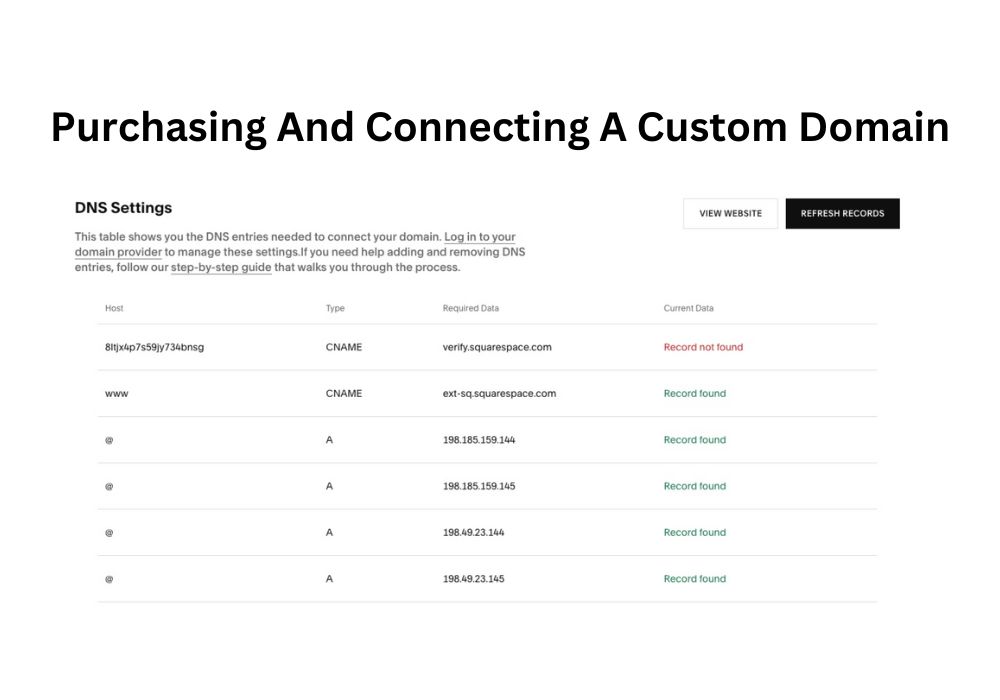
Purchasing a custom domain significantly improves your website’s branding and professionalism. Squarespace makes it simple to buy and connect a domain directly. Begin by navigating to your website’s settings.
Click on ‘Domains’, then ‘Get a Domain’. Type your desired domain name to check availability and pricing. Select the perfect domain for your brand, then proceed to checkout.
To link an existing domain, return to ‘Domains’ in settings and choose ‘Connect a Domain’. Enter the domain name that you own.
Follow the steps provided to change your DNS settings, ensuring the domain points to your Squarespace site. It requires some patience; DNS changes might take up to 72 hours to propagate globally.
Redirecting From Squarespace To Your Domain
To ensure a seamless transition from Squarespace to your custom domain, setting up 301 redirects is crucial. This process tells browsers that your page’s address has changed. All the traffic goes to your new URL.
Start by listing all Squarespace URLs. Next, map each one to your new corresponding URLs. Using Squarespace’s URL Mappings area, you can insert the old and new links. Type the old URL, then “->” followed by the new URL.
Finish each line with a “301” to denote the redirect type. This setup helps users and search engines find your new pages easily. Handling 301 redirects properly is key to maintaining SEO rankings. Monitor the redirects after implementation.
Use tools like Google Search Console to spot crawl errors. Fixing these quickly is important. Always update any backlinks you can to point directly to your new domain. This reduces dependency on redirects over time. Remember, too many redirects can slow down your site.
Troubleshooting Common Domain Issues
Common domain issues often arise due to misconfigurations or technical glitches. Here’s a list of troubleshooting steps to address them:
- Check DNS Records: Verify if DNS records are correctly configured, including A, CNAME, MX, and TXT records.
- Domain Expiry: Ensure the domain registration hasn’t expired. Renew if necessary.
- Nameserver Configuration: Confirm the correct nameservers are assigned to the domain.
- Propagation Delays: Allow time for DNS changes to propagate across the internet, typically up to 48 hours.
- Registrar Locks: Make sure the domain isn’t locked at the registrar, preventing modifications.
- WHOIS Privacy: Disable WHOIS privacy services temporarily for troubleshooting purposes.
- Domain Redirects: Check for any unintended domain redirects that may interfere with access.
- Firewall and Security Settings: Review firewall and security settings that might block access to the domain.
- SSL Certificate: Ensure SSL certificates are properly installed and not expired.
- Contact Registrar or Hosting Provider: If issues persist, contact the domain registrar or hosting provider for further assistance.
In the bottom video, you will learn how to set the live domain on your Squarespace website.
Securing Your New Custom Url
Securing a custom URL for your website often involves removing the default Squarespace domain. Your unique web presence is vital, and with a custom URL, your brand gains professional appeal. By implementing SSL (Secure Sockets Layer), you ensure that all data passed between browsers and your site remains private and integral.
SSL certificates are critical for protecting your website. They encrypt the data exchanged online, thwarting unauthorized access. Activate SSL immediately after securing your custom URL to maintain trust with your visitors.
Furthermore, keeping your domain registration up-to-date is essential. You should also opt for domain privacy to shield personal information from the public eye. By managing domain renewals and privacy settings, you secure your site and sustain your online presence. This prevents service disruption and keeps your details confidential.
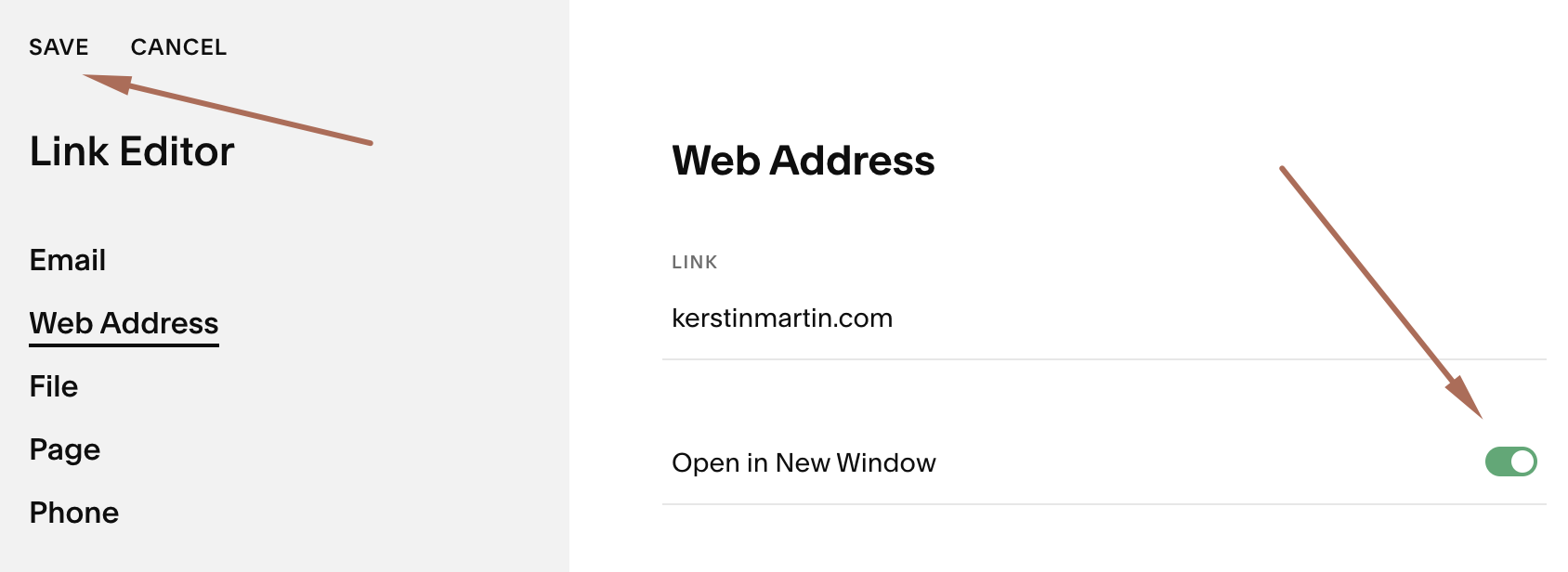
Credit: kerstinmartin.com
Frequently Asked Questions On How To Remove Squarespace From Url
Can I Customize My Squarespace Domain URL?
Yes, you can customize your Squarespace URL. Purchase a custom domain within Squarespace or redirect an external domain to your Squarespace site. Both methods remove the ‘. Squarespace. com’ from your website’s address, providing a clean, professional look.
Why Does My Squarespace Site Show .squarespace.com?
Your site shows. Squarespace. com’ because it’s on a Squarespace subdomain. This default occurs when using the free domain that comes with all Squarespace trials and initial website setups. To remove it, upgrade to a paid plan and register a custom domain.
How Do I Connect A Custom Domain To Squarespace?
To connect a custom domain, go to your Squarespace settings and click ‘Domains’. Select ‘Use a Domain I Own’ and enter your domain name. Follow the provided steps to verify ownership and connect it, which might include adjusting DNS settings with your domain provider.
Is It Possible To Remove ‘.squarespace.com’ For Free?
Removing ‘. Squarespace. com’ entirely is not possible for free. You need to upgrade to a premium plan and register a custom domain. However, Squarespace offers a free custom domain for the first year with the purchase of any annual paid plan.
Conclusion
Streamlining your Squarespace URL is straightforward and beneficial for both aesthetics and SEO. With clear steps to follow, customizing your site’s address enhances user experience and brand identity. Remember to check for changes in search rankings and traffic after updates.
Good luck personalizing your Squarespace domain.