
Best WordPress SEO Plugin
The best WordPress SEO plugin is Yoast SEO. It’s widely revered for its comprehensive features and ease of use. The WordPress SEO plugin is a crucial tool for optimizing websites to rank higher in search engine results. Offering a comprehensive suite of features, it enables users to optimize their site’s content, meta tags, images, and more to improve visibility and attract organic traffic.
In the digital landscape, a strong online presence is indispensable, and for website owners using WordPress, optimizing for search engines is pivotal. Enter Yoast SEO: a powerful tool designed to enhance website visibility and improve search engine rankings. It offers an intuitive interface that guides you through the complexities of SEO, providing real-time page analysis to ensure your content is both search engine and user-friendly.
With its robust functionality – from keyword optimization to readability checks – Yoast SEO stands as an indispensable ally in the quest to capture digital audiences and drive increased web traffic. Embracing this plugin equates to a strategic step toward SEO mastery and sustained online success.
Before reading this blog post see our previous post post about 7 Ways to Find Your WordPress Website Is Not SEO-friendly? and Discover the top 7 strategies to find your WordPress website effortlessly.

Credit: www.elegantthemes.com
Introduction To WordPress SEO Plugins
WordPress SEO plugins play a crucial part in optimizing websites. They help to improve search engine rankings. This means more people can find your website easily. With the right plugin, tasks like meta-tagging and content analysis become simpler. These plugins often offer sitemaps and social media integration.
Tools for SEO monitoring and performance tracking are also common. This ensures your website stays SEO-friendly. A well-optimized site can lead to enhanced user experience, faster loading times, and a better conversion rate.
Choosing the best plugin can seem tough. Yet, many top choices exist. These tools can make a significant impact on your site’s online presence. They are important for any WordPress site owner who wants to stand out online.

Credit: wp101.com
Key Features To Look For In Seo Plugins
Identifying user-friendly SEO plugins is crucial for effective website management. Optimal plugins integrate seamlessly with WordPress, enhancing site performance without compatibility issues.
Consistent updates and support ensure plugins remain functional, offering new features and keeping up with SEO changes.
| Feature | Description |
|---|---|
| User-Friendliness | Simple interfaces for easy navigation and setup. |
| WordPress Compatibility | Ensures smooth integration with your WordPress theme and plugins. |
| Updates & Support | Frequent updates for the latest SEO practices and quick assistance. |
Top Seo Plugin Contenders
Yoast SEO
Yoast SEO holds the crown for the most popular WordPress SEO plugin. With its user-friendly interface and powerful features, it assists in optimizing content. Features like keyword optimization and readability checks are included. This plugin also offers advanced XML sitemaps functionality and full control over site breadcrumbs. Yoast SEO is a powerful WordPress plugin that optimizes websites for search engines. It offers features like content analysis, readability checks, and metadata optimization, helping users improve their site’s visibility and ranking in search engine results.
All in One
All-in-One SEO Pack also garners wide usage. Its easy setup favors beginners. It includes auto-optimization of titles for all search engines and generates SEO-friendly meta tags. All in One is the ultimate solution, combining versatility and convenience. Streamlined efficiency meets multifunctionality, providing seamless integration for various tasks. Simplify your life with a single, comprehensive tool that encompasses all your needs.
SEMRush
SEMRush stands out for its comprehensive SEO tools. Content professionals and marketing experts can make the most of its deep site audit and backlink tracking features. SEMrush is a leading digital marketing toolkit, that provides insights into SEO, PPC, social media, content marketing, and more. With features like keyword research, competitor analysis, and site auditing, it empowers businesses to optimize their online presence effectively.
Rank Math
Rank Math is a fast-growing plugin that offers a simple yet powerful interface. It provides an array of features such as Google Schema markup and keyword ranking. A 404 monitor is also included.
The SEO Framework plugin focuses on providing solutions for those needing lightweight SEO tools. Automatic and accessible, it supports without overloading resources.
Comparative Analysis Of Top Seo Plugins
Comparative Analysis of Top SEO Plugins dives deep into various aspects. Performance Metrics stand crucial for SEO effectiveness. Speed, indexing, and sitemap efficiency are central metrics reviewed.
The User Interface and Experience section highlights ease of usage. Clean layouts and intuitive design are noted. Features should streamline workflow without confusion.
Under Pricing and Plans, different tiers are examined. Free versions offer basic features. Premium plans expand tools and support. Cost comparisons reflect the value offered at each level.
Real-world Impact And User Testimonials
Real-world success with WordPress SEO plugins is significant. Many website owners report improved rankings and traffic after utilizing these tools. User testimonials highlight how plugins such as Yoast SEO or All In One SEO have simplified their SEO efforts. Increased visibility in search engines often leads to more leads and conversions.
Experts in the field praise these plugins for their comprehensive features and ease of use. They often recommend them as essential tools for WordPress users. Real case studies show websites climbing from obscurity to top-ranking positions.
Positive reviews are a testament to the effectiveness of these plugins. Users celebrate the clarity of the plugins’ instructions and the automation of complex SEO tasks. The community around these tools provides helpful support and updates.
Making The Right Choice For Your Website
Assessing your SEO needs is crucial before choosing a plugin. Site goals and content complexity guide your selection. Consider your technical expertise and budget constraints as well. Aim for a plugin that offers comprehensive features with an easy-to-navigate interface.
Installing and configuring your plugin should be straightforward. Start by downloading the preferred plugin from the WordPress repository. Next, activate it through the ‘Plugins’ menu in your dashboard. Explore settings carefully to optimize your site’s SEO. Enable features like XML sitemaps and content analysis for enhanced performance.
Utilize analytics to measure your website’s performance post-implementation. Key metrics such as traffic, bounce rate, and conversion rates are important. Regularly review this data to make informed decisions. Adjust your SEO strategy accordingly. Keep an eye on search engine updates to stay ahead.
Future Of Seo Plugins And WordPress
- Integration of AI: Expect SEO plugins for WordPress to incorporate AI-driven features, providing advanced insights and recommendations for optimizing content.
- Voice Search Optimization: With the rise of voice search, SEO plugins will focus on optimizing content for voice queries, ensuring websites remain competitive in this evolving landscape.
- Enhanced Analytics: Future plugins will offer more comprehensive analytics, allowing users to track performance metrics and make data-driven decisions for SEO strategy.
- Mobile-First Approach: As mobile usage continues to dominate, SEO plugins will prioritize mobile optimization, helping websites rank higher in mobile search results.
- Structured Data Support: There will be increased support for structured data markup within SEO plugins, aiding in improving rich snippet visibility and enhancing website presentation in search results.
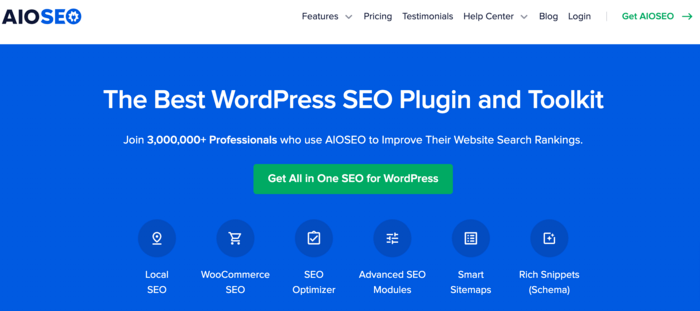
Credit: aioseo.com
Conclusion
Selecting the right SEO plugin for your WordPress site is crucial. It boosts your online presence effectively. Among the plugins discussed, each has unique strengths. Your site goals should guide your choice. Take action; elevate your SEO game with the perfect plugin today.