cPanel file manager – show hidden files
The cPanel File Manager is a built-in tool that allows you to manage files and directories on your web hosting account directly from your web browser. In this Blog, I’m trying to show you how to show hidden files in Godaddy cpanel. (.htaccess, php.ini, and others )
When it comes to finding the best cheap web hosting, there are several factors to consider. Affordability is crucial, but it shouldn’t come at the expense of performance, reliability, or customer support.
How to use the cPanel File Manager
Here’s a brief overview of how to use the cPanel File Manager:
Quick Steps:
Step 1.
Log into cPanel & click “File Manager” under the files panel
Step 2.
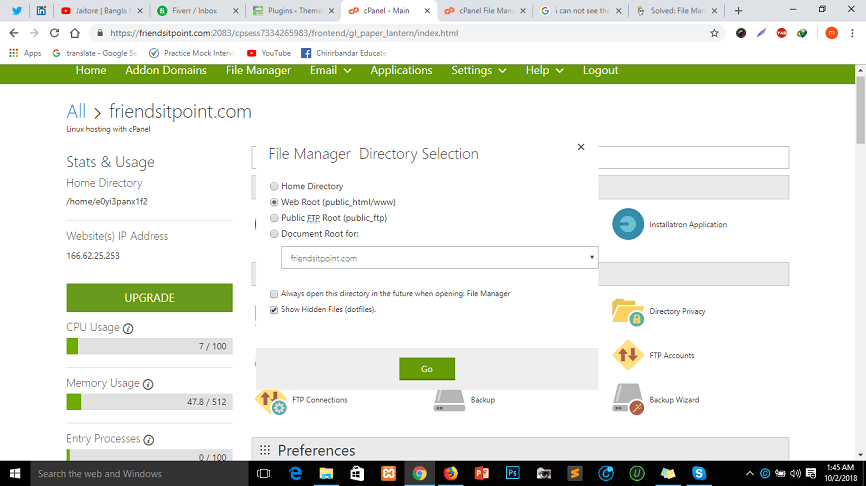
When you click file manager then a popup will be shown and there is an option to show hidden files. click there and then click go.
Step 3:
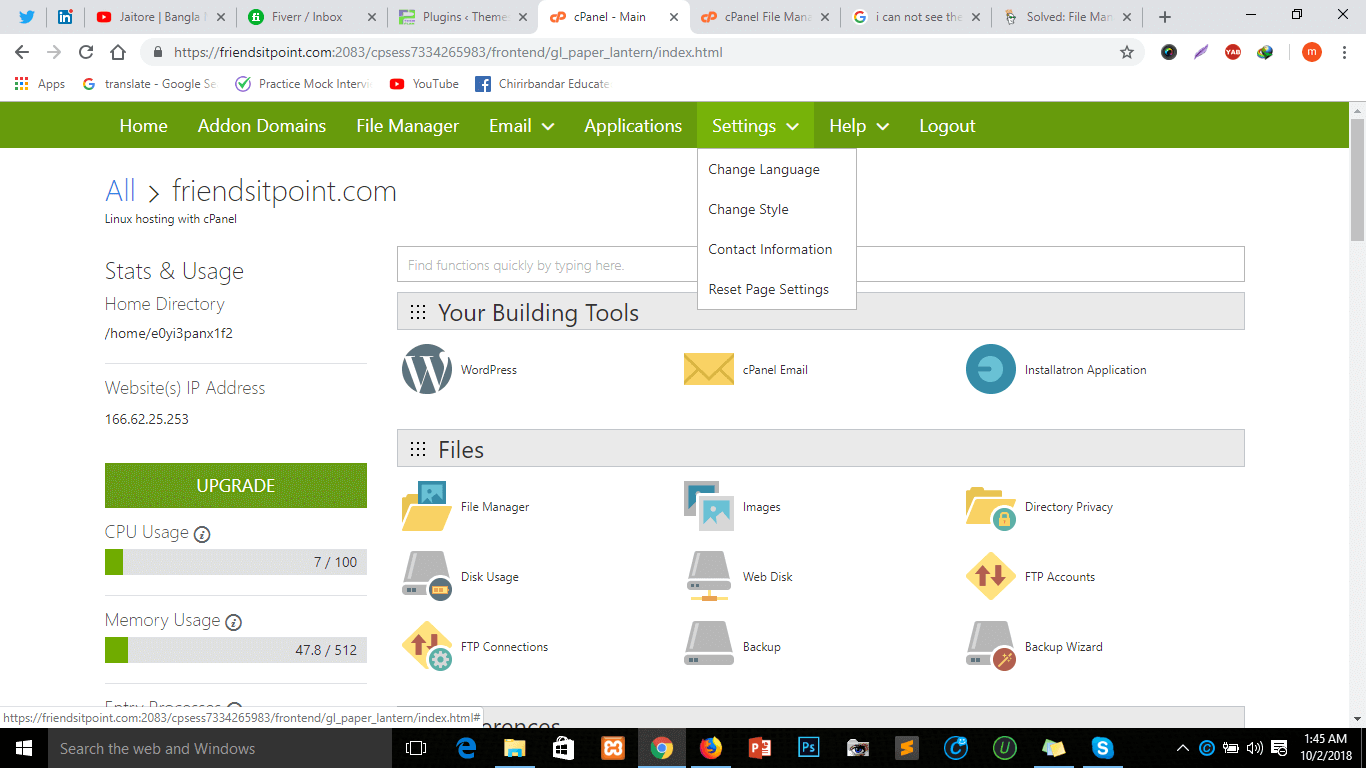
If you can not get a popup when clicking file manager, don’t worry you can go to the top in the menu bar of your page and there is a menu item name setting, then, reset the page setting. Then click again File Manager you will see the popup window.
Solve your problem. Enjoy
Having problem? You can see this Video:
Why Hide Files?
There are several reasons why files are hidden on your web hosting server:
- Security: Certain configuration files, like .htaccess, contain sensitive information that shouldn’t be accidentally modified by users unfamiliar with their purpose. Hiding them prevents unintended edits that could disrupt your website’s functionality.
- System Files: The operating system itself relies on hidden files to store settings and configurations. Exposing them can clutter the file manager and potentially lead to the accidental deletion of critical system files.
- Organization: Developers sometimes use hidden files to organize their code or store temporary data. Keeping them hidden maintains a cleaner interface for users focusing on the core website files.
Knowing these reasons helps you understand the importance of hidden files and the potential consequences of modifying them without proper knowledge.
Common Hidden Files and Their Significance
Here are some examples of commonly encountered hidden files and their importance:
- .htaccess: This file controls various server behaviors on your website. It can be used for tasks like setting up redirects, password-protecting directories, or enabling SEO features.
- .htpasswd: This file stores usernames and passwords for restricting access to specific directories on your website.
.user.ini: This file allows you to configure PHP settings for individual directories. - .gitignore: This file is used with version control systems like Git to specify which files should be excluded from version control.
Conclusions
Remember to be cautious when making changes to your files, especially if you are not familiar with the impact of those changes on your website. Always back up important files before making any modifications. If you’re unsure about the purpose of a hidden file or hesitate to edit it yourself, it’s always recommended to consult your web hosting provider’s documentation or seek help from a website developer